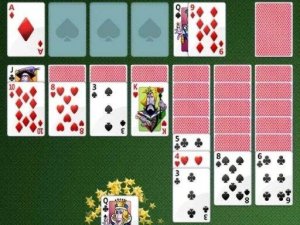
Classic Solitaire Card Game brings the well-known Klondike card puzzle to your browser. The main goal is to arrange all cards into four piles, one for each suit, from the lowest to the highest value. Players move cards around the playing area to reveal hidden ones and create sequences. This version offers a clean, easy-to-read layout that helps you focus on the puzzle. It is designed for both beginners and experienced players who enjoy logical challenges. The game runs directly in your browser, so there is no need to install anything. You can play at your own pace or try to finish quickly. The experience is meant to be relaxing yet mentally engaging. Many people find this type of card puzzle helpful for improving concentration and planning skills. The game respects your time by letting you stop and resume whenever you like. It is a classic choice for anyone looking for a quiet, thoughtful activity.
In this card puzzle, you start with seven columns of cards. Some cards are face up, and others are face down. Your task is to move all cards to the four foundation piles. You build each foundation by placing cards of the same suit in order from low to high. You can move cards between columns if they follow a descending order and have alternating colors. When you run out of moves on the board, you can draw new cards from a reserve pile. The game provides helpful hints and an auto-complete option to finish the puzzle when only a few cards remain. You can track your moves and the time you spend. This helps you see your progress and improve your strategy over time.
This online card puzzle is free to play and works in any modern web browser. It has a simple, clean design that makes the cards easy to see. The game includes a timer for those who want to challenge themselves to finish faster. You can also see your move count and score. An auto-complete feature helps you finish the puzzle quickly when only a few cards are left. The interface gives clear visual feedback for valid moves, which helps new players learn the rules. There are no downloads or installations required. The game is suitable for all ages and offers a calm, focused experience.
Try to reveal hidden cards early in the game. This gives you more options for moving cards. Build foundation piles when you can, but do not empty a column unless you have a high card ready to place there. Use the reserve pile wisely and only draw cards when you have no other moves. Practice regularly to get faster and make better decisions. Planning a few moves ahead can help you avoid getting stuck.






Player Comments
Sign in to comment
You must be logged in before posting a review or rating.
No account? Create one
No comments yet. Be the first to comment!