Reviews
Checkers Classic Board Game delivers a polished, no-frills checkers experience. The clean interface and smooth animations make it a pleasure to play. The adjustable AI difficulty provides a good challenge for beginners and experts alike. The two-player mode is perfect for local matches. The game runs flawlessly on all devices without any downloads. Highly recommended for fans of classic board games.
About this game
Game Introduction
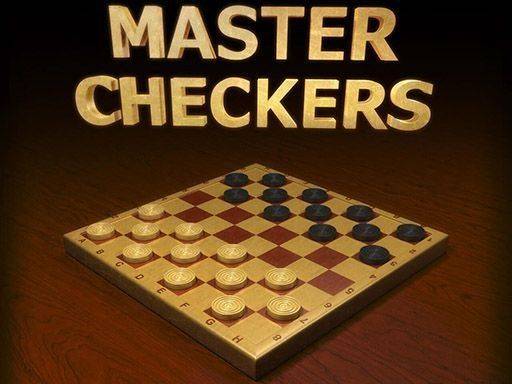
Checkers Classic Board Game brings the timeless strategy game of checkers to your browser. Designed for players of all ages, it offers a clean interface and smooth animations while keeping the traditional rules. You can play against a computer opponent or with a friend on the same device. The game is family-friendly and works on desktops, tablets, and smartphones without any downloads. The objective is to capture all of your opponent's pieces or block them from moving. Each player starts with 12 pieces on a 8x8 board, moving diagonally forward. Capturing is done by jumping over an adjacent piece into an empty square. When a piece reaches the opposite end, it becomes a king and can move backward. The game ends when one player has no pieces left or cannot move. This version focuses on providing a smooth, accessible experience for both new and experienced players.
How to Play
To play, click or tap a piece to select it, then click a highlighted square to move. Capture opponent pieces by jumping over them diagonally. When a piece reaches the opposite end, it becomes a king and can move backward. The game ends when one player has no pieces left or cannot move. Plan your moves carefully to protect your pieces and set up jumps. The game uses standard checkers rules, so you must capture if possible. Multiple jumps are allowed in a single turn if available. Kings can move both forward and backward, adding strategic depth. The game provides visual feedback for valid moves, making it easy to learn.
Game Features
Features include a stylish design, smooth gameplay, an AI opponent with adjustable difficulty, a two-player mode for local play, and full mobile optimization. The game runs in any modern browser and requires no installation. The clean interface reduces distractions, allowing you to focus on strategy. The adjustable AI difficulty lets you choose a challenge that matches your skill level. The two-player mode is perfect for playing with friends or family on the same device. The game is optimized for touch screens, making it easy to play on tablets and smartphones.
Tips for Success
Practice regularly to improve your strategic thinking and anticipate your opponent's moves. Focus on controlling the center of the board and protecting your back row. Look for opportunities to set up multiple jumps. Use your kings wisely, as they are powerful but can be vulnerable. Study common patterns and traps to avoid mistakes. The more you play, the better you will become at predicting your opponent's strategy.
Compatibility
• OS: Windows 10+, macOS 11+, iOS 14+, Android 10+
• Browsers: Chrome 100+, Safari 15+, Edge 100+, Firefox 100+
• Not compatible with Internet Explorer
Tested on real devices ✅ works as expected
Advertisement
Faq
Is Checkers Classic Board Game free to play?
Yes, Checkers Classic Board Game is completely free to play. There are no hidden costs or in-app purchases required. You can enjoy the full game experience without any payment.
Can I play Checkers Classic Board Game offline?
Checkers Classic Board Game requires an internet connection to load initially. Once loaded, the game may work offline for some features, but for the best experience, we recommend a stable internet connection.
What devices are supported for Checkers Classic Board Game?
Checkers Classic Board Game works on desktops, tablets, and smartphones. It is optimized for both mouse and touch controls, so you can play on Windows, Mac, iOS, Android, and other platforms with a modern browser.
Does Checkers Classic Board Game have a timer or time limit?
The game does not include a timer by default. You can take your time to think through your moves. Some players may prefer a timed mode, but the standard version is untimed for relaxed play.
How do I change the difficulty of the AI opponent?
You can adjust the AI difficulty in the game settings before starting a match. Options typically include easy, medium, and hard levels. This allows you to choose a challenge that matches your skill level.
Can I undo a move in Checkers Classic Board Game?
The game does not include an undo feature by default. Once you make a move, it is final. This encourages careful planning and adds to the strategic challenge. Some versions may offer this option, but the standard game does not.