Follow us:

Classic Solitaire 13 in 1 Collection

Card Games Puzzle Games Solitaire
Classic Solitaire 13 in 1 Collection

Reviews

Classic Solitaire 13 in 1 Collection delivers exactly what it promises: thirteen different solitaire games in one easy-to-use package. The drag-and-drop controls work smoothly on both mouse and touchscreen. Beginners appreciate the unlimited undo and hints, while experienced players enjoy the variety of modes from Klondike to Freecell. No ads interrupt gameplay, and no download is needed. It is a reliable choice for anyone who enjoys card puzzles.

About this game

Game Introduction

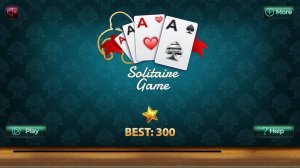
Classic Solitaire 13 in 1 Collection brings together thirteen popular solitaire variants in one convenient package. Each mode follows its own set of rules, providing a fresh challenge every time you play. From the timeless Klondike to the strategic Freecell, players can explore different card layouts and strategies. The core objective remains simple: clear all cards from the table by moving them to foundation piles. The game uses intuitive drag-and-drop controls, making it easy to pick up and play. Whether you have a few minutes or an hour, this collection offers a satisfying puzzle experience for card game enthusiasts of all skill levels.

How to Play

To start playing, select one of the thirteen modes from the main menu. Each mode has unique rules, but the common goal is to remove all cards from the table. Typically, you move cards between piles or to foundation slots following specific sequences or suits. Use your mouse or touchscreen to drag and drop cards. Plan your moves carefully to avoid getting stuck. The game provides hints and undo options to assist you. Beginners can begin with Klondike for a familiar challenge, then try Freecell or Spider for more complexity.

Game Features

Thirteen distinct solitaire modes to choose from. Intuitive drag-and-drop controls work on both mouse and touchscreen. Hints and unlimited undo options help players learn each variant. Family-friendly design with no time pressure or ads that interrupt gameplay. No download or installation required to play directly in the browser.

Tips for Success

This collection offers variety without overwhelming the player. Each mode feels like a new puzzle, keeping the experience fresh. The clean interface and helpful tools make it easy to learn new variants at your own pace.


Compatibility

This H5 game runs smoothly on:
• Desktop computers (Windows / Mac) • Mobile phones (iPhone / Android)
• Tablets (iPad / Android)
🌐 Best experienced with Chrome, Safari, or Edge

Advertisement

Faq

Can I play this solitaire collection on my phone?
Yes, the game is designed to work on both desktop and mobile browsers. The drag-and-drop controls respond to touch input, so you can play on smartphones and tablets without any issues.
Is there a time limit in any of the solitaire modes?
No, none of the thirteen modes have a time limit. You can take as long as you need to plan your moves and complete each puzzle. This makes it a relaxing experience suitable for all ages.
Do I need to create an account to play?
No account is required. You can start playing any of the thirteen solitaire variants immediately by selecting a mode from the main menu. The game is completely free to play without registration.
How do I undo a move if I make a mistake?
Each mode includes an unlimited undo option. Simply click or tap the undo button to reverse your last move. You can undo multiple steps to try different strategies without penalty.
Are there different difficulty levels for each solitaire variant?
The game does not specify difficulty levels. However, some variants like Klondike are generally easier for beginners, while Freecell and Spider offer more complex challenges. You can choose the mode that matches your comfort level.
Can I save my progress and come back later?
The game description does not mention a save feature. Typically, browser-based solitaire games reset when you close the tab. You may need to complete a game in one session, but each puzzle is quick to play.